

/ PRODUCT
Bank Connectivity
Connect your banks in seconds
Secure, real-time connections across your accounts — no manual imports, no complexity
Start with live data from day one
Secure, real-time connections across your accounts — no manual imports, no complexity
Start with live data from day one
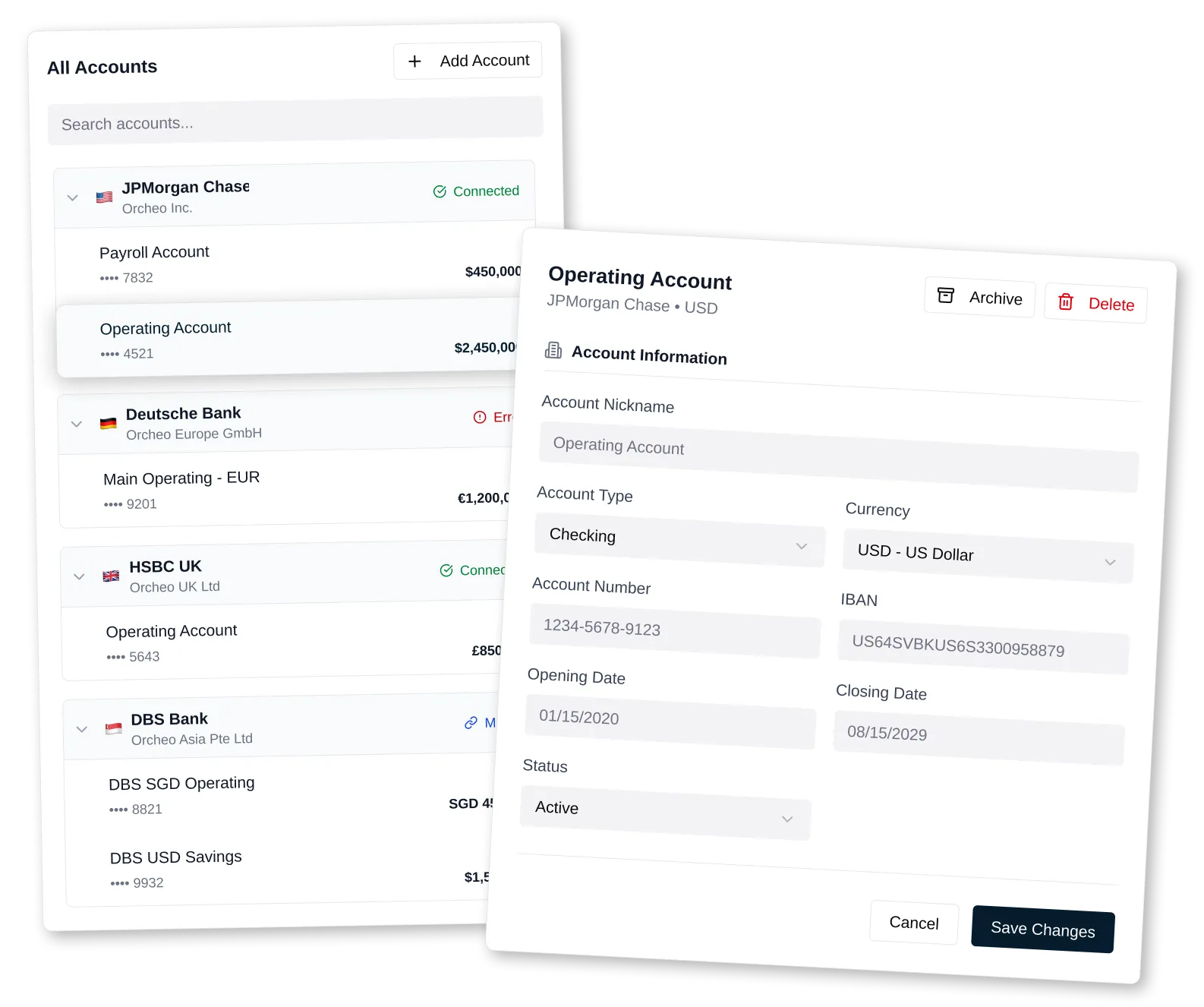
Orcheo’s bank connectivity syncs your real transactions so your forecasts stay accurate, updated and reliable — without manual spreadsheet work

Automatic Bank Transaction Import

Real-Time Cash Position

Open Banking for Business

Future-Proof Connectivity
/ bank connectivity
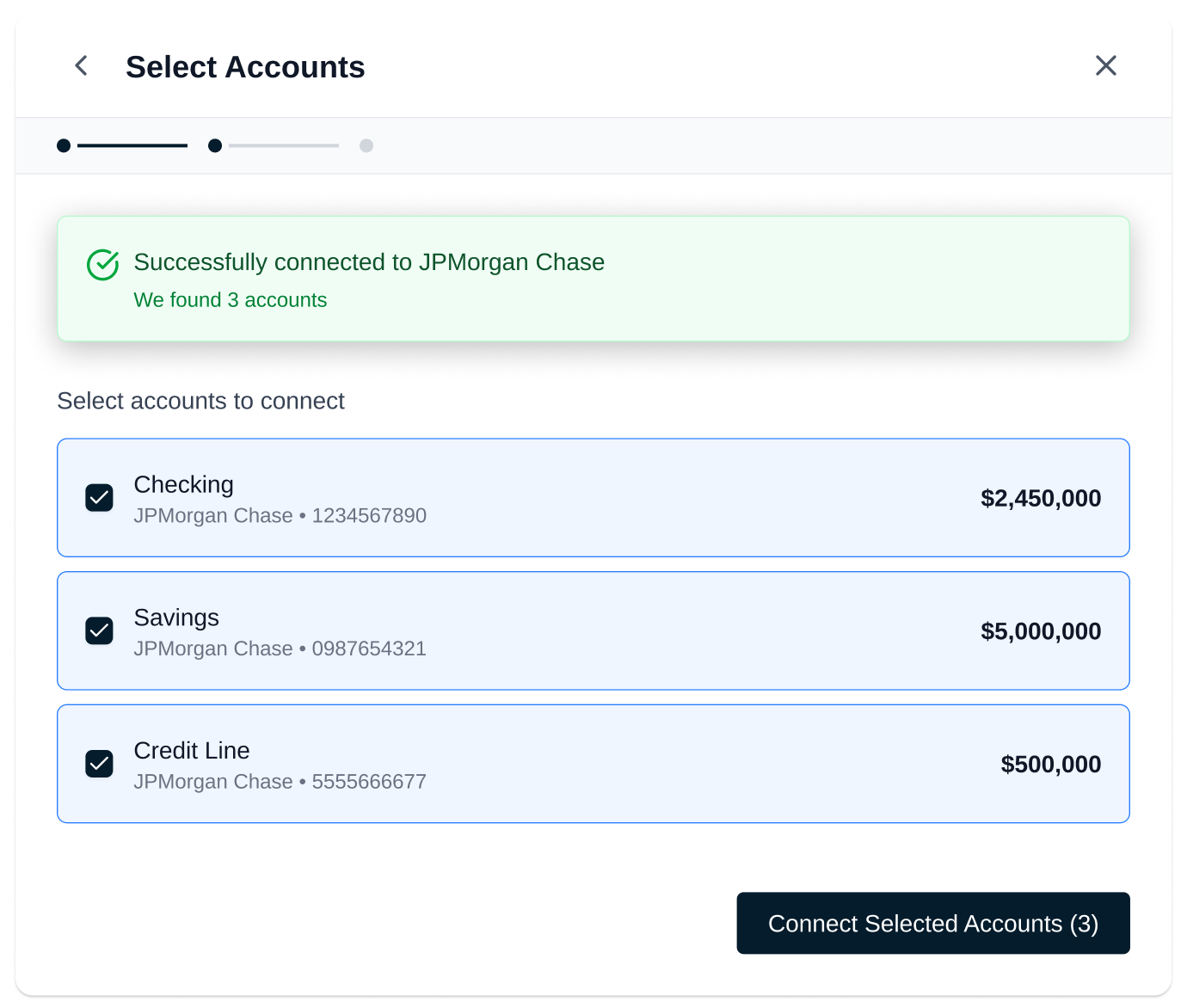
From connection to insights in seconds
Orcheo uses secure open banking connections to sync your transactions automatically — no files, no delays
Steps:
Steps:
1. Select your bank
Search and choose your institution
Search and choose your institution
2. Authenticate securely
Log in through your bank’s official interface
Log in through your bank’s official interface
3. Start analyzing instantly
Your transactions sync and are structured automatically
Your transactions sync and are structured automatically
No spreadsheet. No setup. No waiting
Get Started/ bank connectivity
Works with your banks
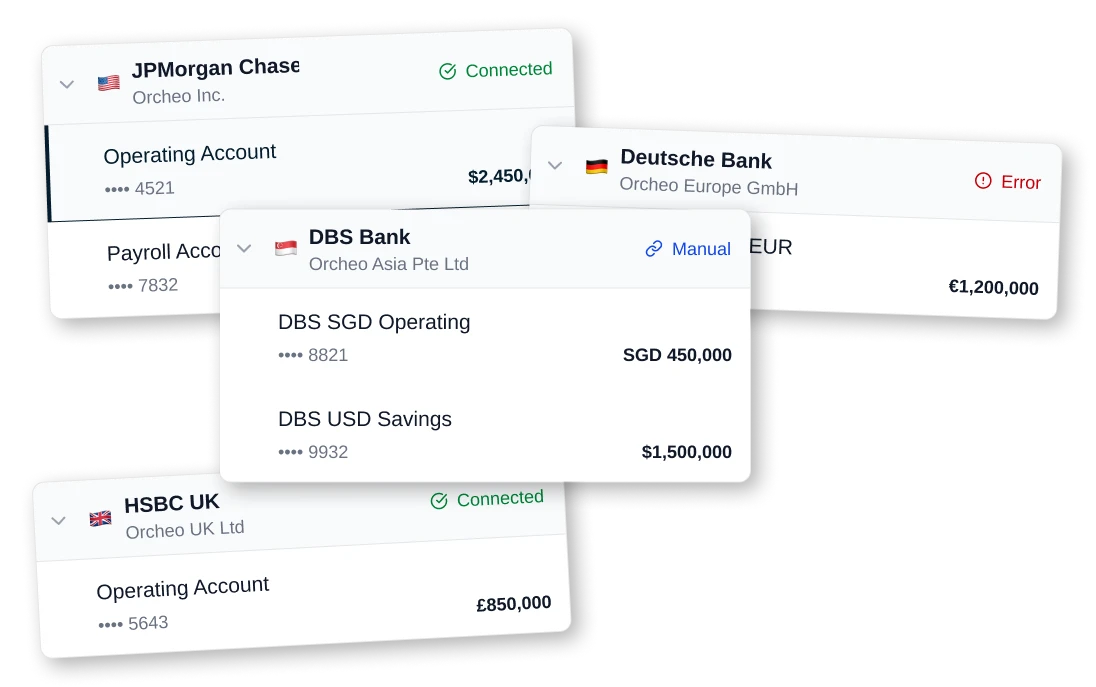
Orcheo connects to thousands of banks across Europe, US and Canada

Coverage across France, major EU countries
Coverage across US and Canada
Multi-bank support per entity
Multi-entity consolidation
Continuous expansion
/ bank connectivity
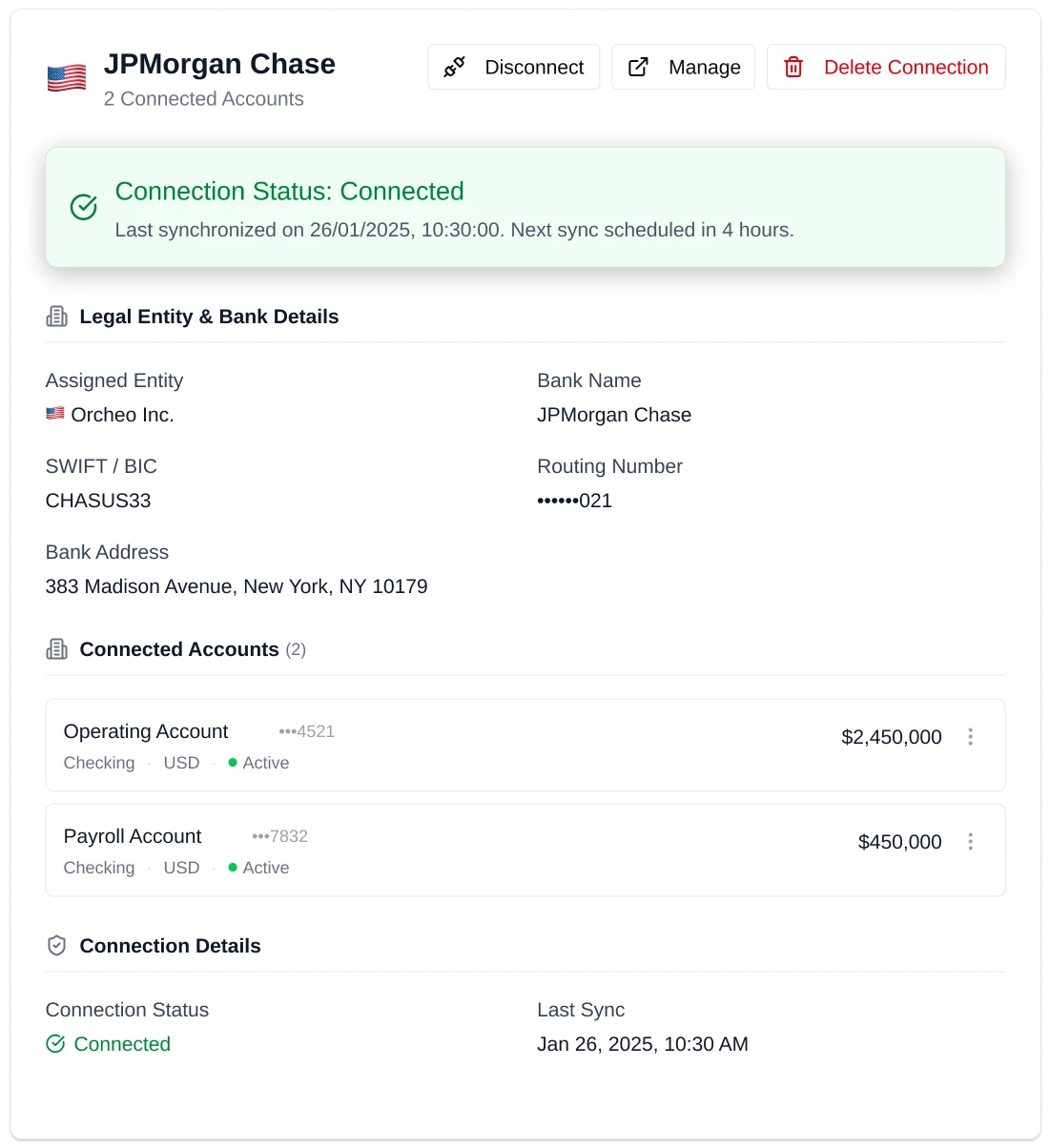
Always up to date
Your cash position reflects reality — not yesterday’s exports
Automatic transaction sync
Frequent updates (near real-time / daily depending on bank)
No manual refresh
Reliable historical continuity
Your finance runs on live data
Get Started/ bank connectivity
Built for real-world complexity
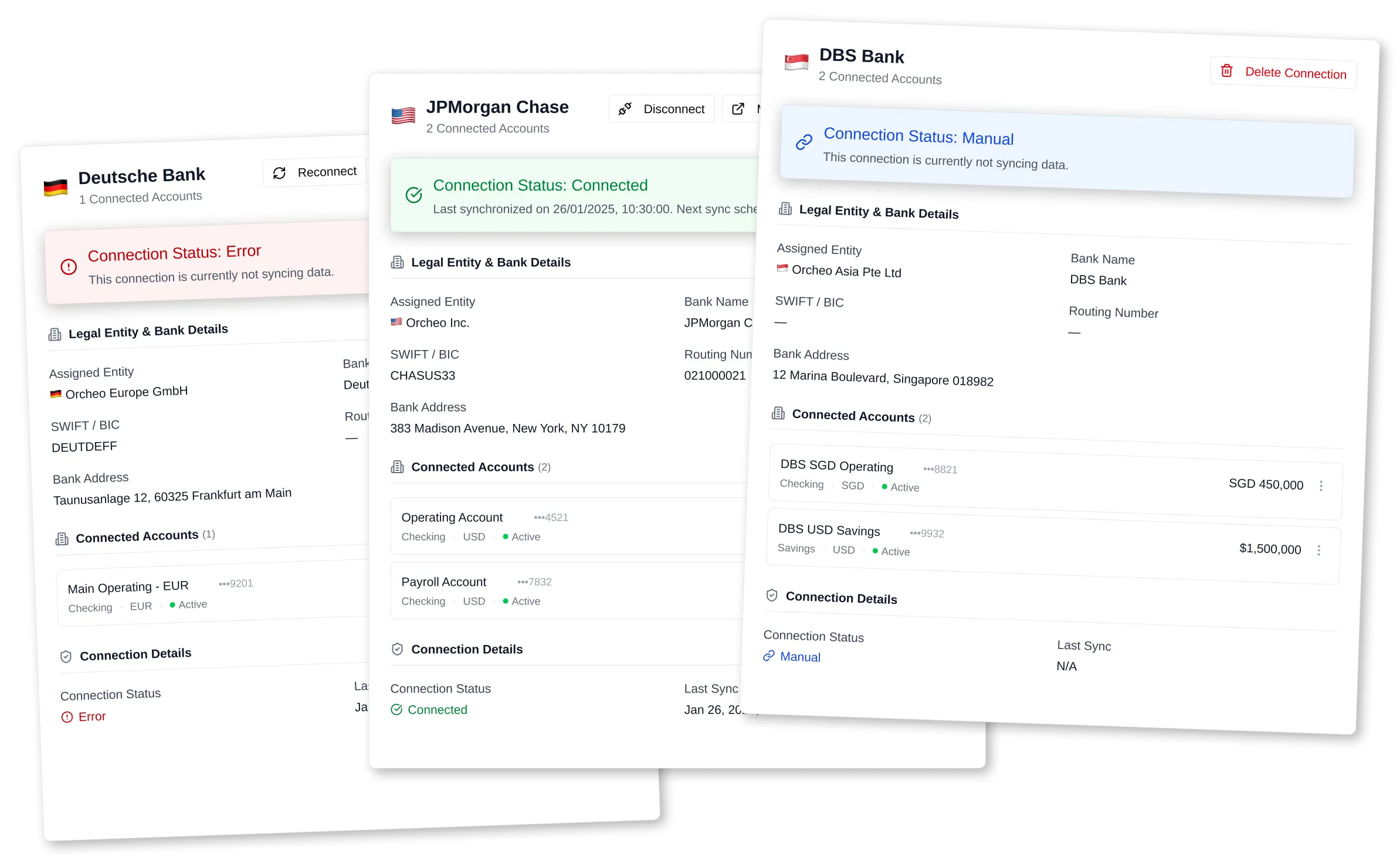
Whether you manage one company or several entities, Orcheo handles all accounts in a unified system
Multiple entities
Multiple bank accounts per entity
Consolidated or per-entity views
Clean separation when needed
No more fragmented visibility
Get Started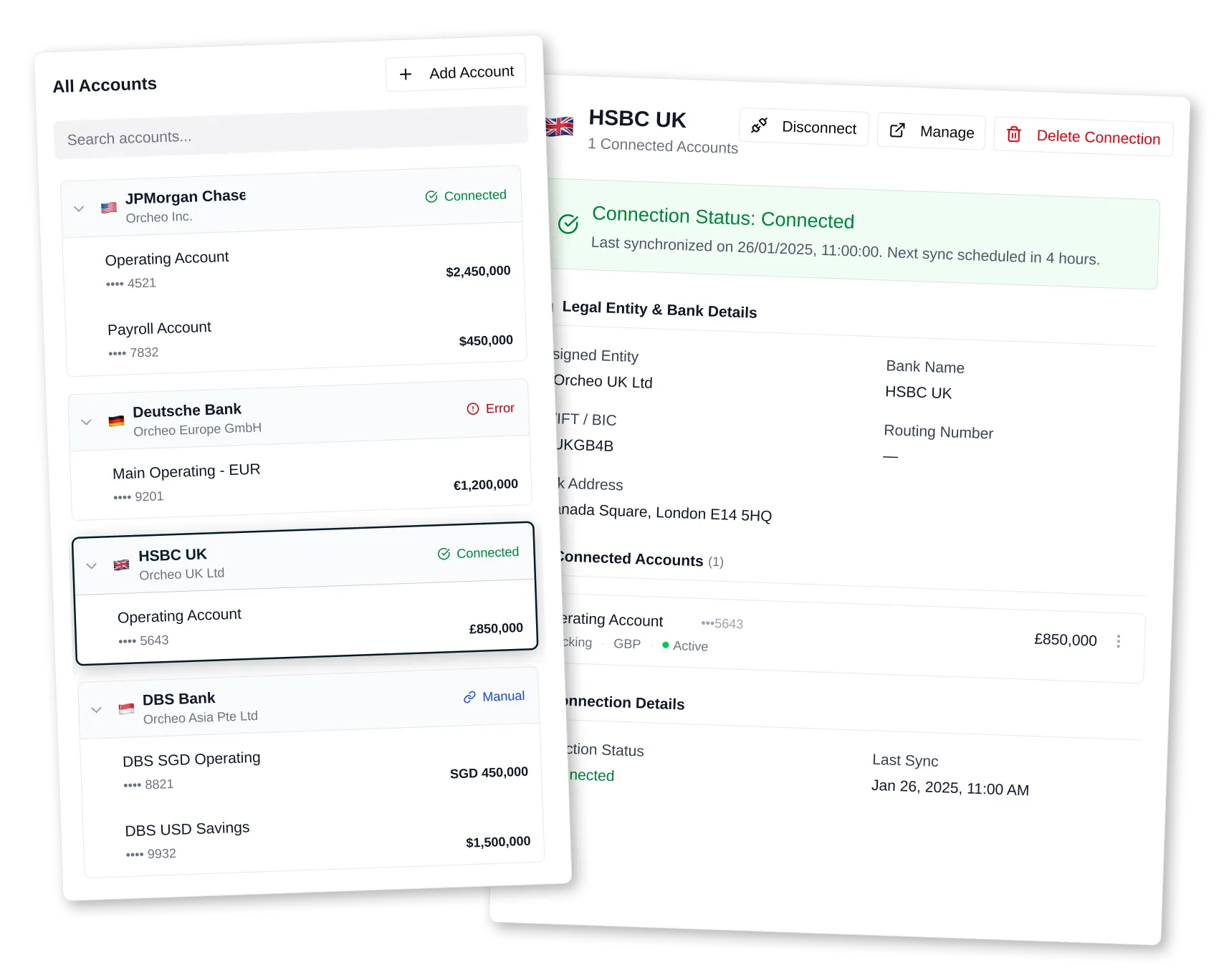

/ bank connectivity
Bank-grade security by design
Orcheo uses trusted open banking providers and industry standards to ensure your data is safe at all times
Secure authentication via bank interfaces (no credential storage)
Encryption in transit and at rest
Regulated open banking providers (PSD2)
Read-only access (no payment initiation)
Reassurance line
Your data stays protected. Always
Get Started/ bank connectivity
Everything starts with your bank data
Bank connectivity is the foundation of Orcheo. Once connected, the entire system — AI, analytics, forecasting, automation — comes to life automatically
Feeds Cash Visibility
Enables AI categorization
Powers forecasting
Drives insights & alerts
No connection → no intelligence
Connection → full system activated
Get StartedConnection → full system activated
Connect your banks once
Everything else runs automatically
Everything else runs automatically
/ FAQ
Everything You Need to Know
How does Orcheo connect to my business bank accounts?

Orcheo uses secure, regulated open-banking connections (where available) to link your business bank accounts. Once connected, your transactions update automatically inside your financial model.
Do I need to set up rules or templates?
No, Orcheo creates and applies rules automatically based on real transaction behaviour.
How often are bank transactions updated in the app?
Transactions typically refresh multiple times a day, giving you near real-time visibility of your cash position.
Do I stay in control of what the app can see and do?
Yes. You choose which accounts to connect and what level of access Orcheo receives. Connections can be revoked at any time, and all data remains encrypted and private.
.svg)